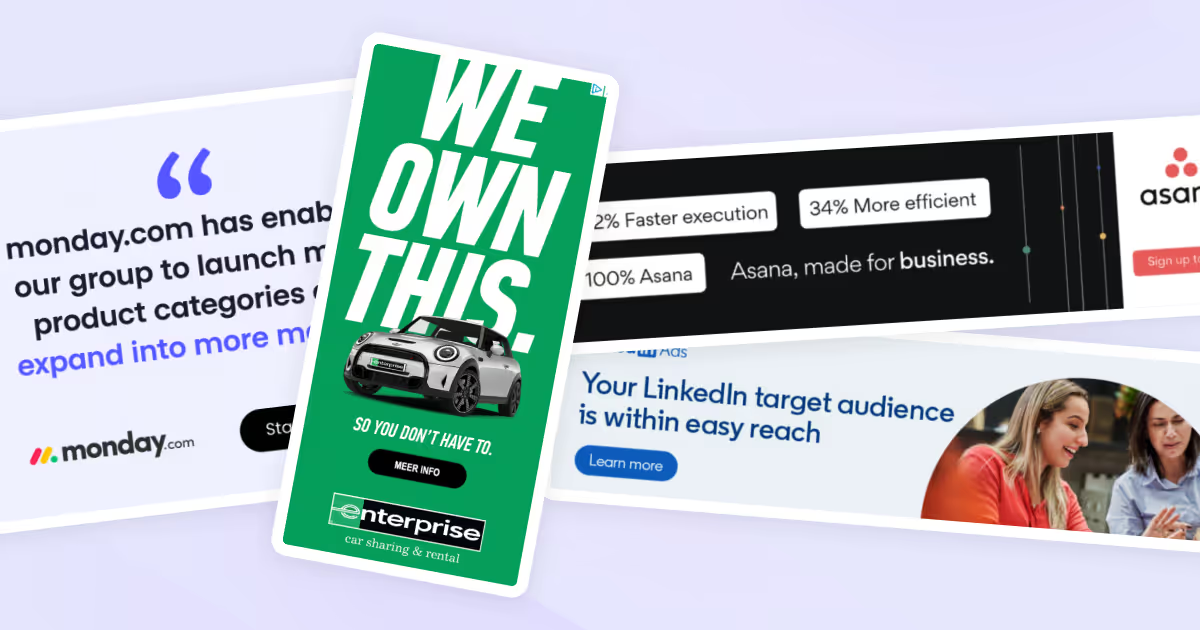
Ever scrolled through a website and suddenly stopped because colorful, eye-catching ads just jumped out at you? That would be a good example of display ads in action.
These digital billboards pop up on websites, social media platforms, and apps to grab the target audience's attention in seconds. By utilizing advanced targeting and compelling visual design, display ads can help businesses enhance brand visibility, drive engagement, and create connections with potential customers.
Whether you're running campaigns on the Google Display Network (GDN), LinkedIn Ads, or programmatic platforms like DV360, the best display ad examples share common traits: bold visuals, clear value propositions, and designs that cut through banner blindness.
In this guide, we'll break down real display advertising examples across industries, including SaaS, e-commerce, finance, and B2B, and show you what makes each one work. We’ll cover:
- Best display ad examples
- What is a display ad?
- Difference between display ad and search ad
- Formats and sizes
- Do’s and don’ts
- Key metrics and trust signals for display ads
- Display ad platforms
Best display ad examples by industry
1. The Guardian Jobs

Platform: Google Display Network
Format: Animated HTML5
Size: 300x250
- Industry: Media
- Ad type: Dynamic ad / Problem-solution ad
- Visual: Simple, bold typography and vibrant colors with engaging illustrations and animations with a playful depiction of a person lifted by a clock in a meeting.c
- CTA: Search Guardian jobs
- What’s good about this ad: The ad clearly communicates that The Guardian Jobs is a desirable platform for finding interesting and suitable job opportunities. “No more boring meetings” addresses a common pain point at work, and the playful, fun illustration depicts a desirable alternative. The clear call to action, "Search Guardian Jobs," encourages direct engagement from viewers. The animation creates movement that fights banner blindness, whereas static ads in the same placement would likely be ignored.
2. monday.com

Platform: Google Display Network
Format: Static
Size: 300x600
- Industry: SaaS
- Ad type: Static ad / Testimonial ad
- Visual: The ad features a simple design with a clean layout, large quotation marks, and a simple testimonial text highlighting a key benefit. The logo of monday.com and a "Start free trial" button are prominently displayed at the bottom, maintaining brand recognition and encouraging action.
- CTA: Start free trial
- What’s good about this ad: It utilizes a customer testimonial to highlight a specific benefit of using monday.com: expanding into more markets. This builds credibility and relatability among prospective users. The clear, direct call to action invites immediate engagement, enhancing the likelihood of conversions. The design is simple and straightforward, aligning with the brand. Testimonials with specific results ("expand into more markets") outperform generic praise; they add E-E-A-T signals that build trust.
3. Amazon

Platform: Amazon Advertising / GDN
Format: Static
Size: 300x250
- Industry: E-commerce
- Ad type: Static ad / Announcement ad
- Visual: The ad features a vibrant and eye-catching purple background with images of various lifestyle products surrounded by flame emojis to emphasize the hot deals. The product images are presented as stickers, giving a playful look to the design.
- CTA: None
- What’s good about this ad: It’s clear, simple, and straight to the point. It captures attention with its bright colors and dynamic visuals, emphasizing affordability with "Crazy low prices" and "Everything $20 and under." It creates a sense of urgency and excitement about the deals, likely driving traffic to Amazon's website for more details or purchases.The lack of a CTA button is intentional—Amazon's brand recognition is so strong that the offer itself drives clicks. This works for established brands but isn't recommended for lesser-known companies.
4. Enterprise
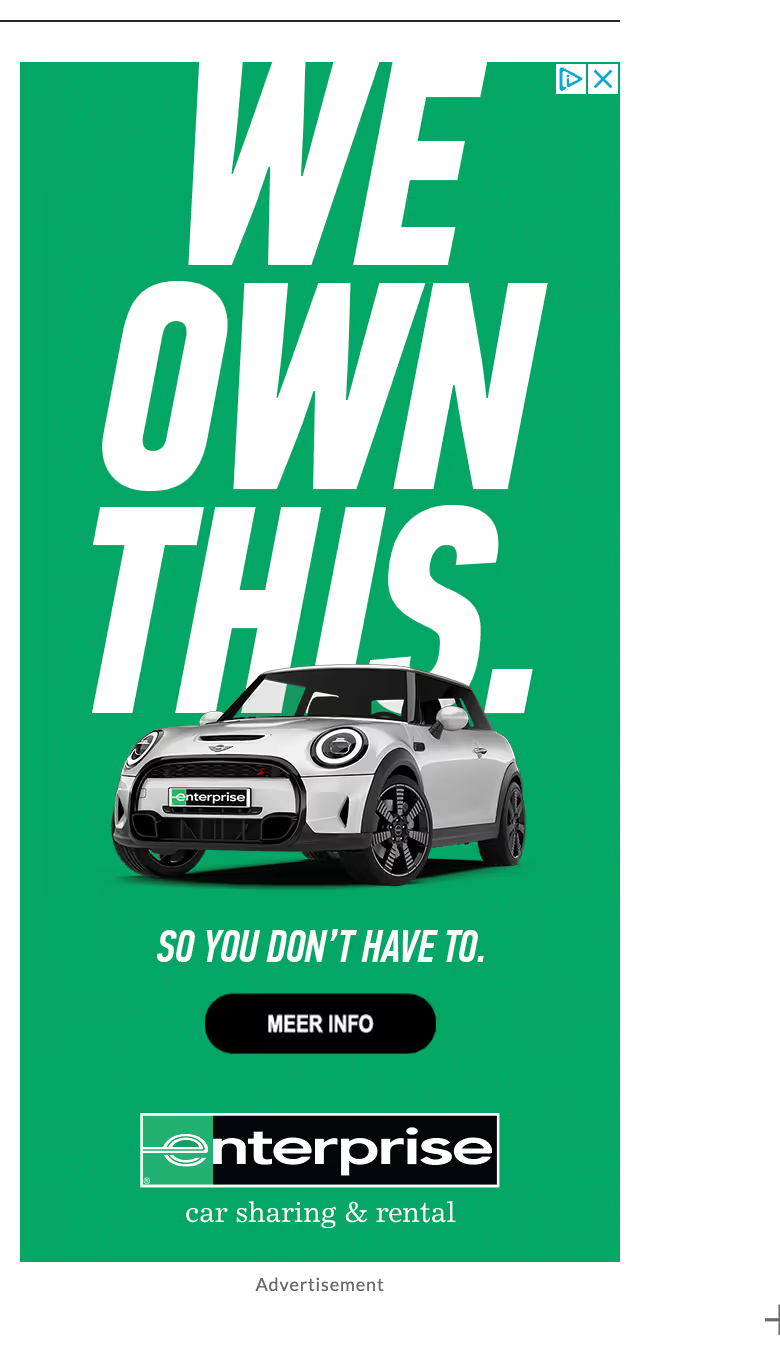
Platform: Google Display Network
Format: Static
Size: 160x600 (Skyscraper)
- Industry: Car Rental
- Ad type: Dynamic ad / Explainer ad
- Visual: The ad features a bold, monochromatic green background that stands out, with a high-quality image of a car. The bold and large text "WE OWN THIS" at the top and "SO YOU DON’T HAVE TO" at the bottom communicate the service's main benefit—ownership-free driving.
- CTA: More info (in Dutch: Meer Info)
- What’s good about this ad: The strong, simple message paired with the clean design communicates the convenience of using Enterprise’s services. The overall aesthetic is modern and powerful, likely attracting a younger, urban demographic looking for flexible transportation options. The skyscraper format (160x600) works perfectly for sidebar placements and gives room for bold typography that wouldn't fit in smaller formats.
🙋🏻♀️ Want to have stunning visuals like these for your ad campaigns but don’t have enough team support? magier can be your perfect design partner! Book a free consultation with us to explore your options.
5. Fiverr

Platform: Google Display Network
Format: Static
Size: 468x60 (Banner)
- Industry: SaaS
- Ad type: Static ad / Problem-solution ad
- Visual: It uses a green-themed design that matches Fiverr's branding. It features an illustrative graphic of a search bar with the text "SEO services" to symbolically represent search engine optimization. The visual simplicity ensures the message is the focal point.
- CTA: Go get SEO
- What’s good about this ad: It addresses a common pain point and positions Fiverr as the solution by urging them to "Leave it to the experts." This direct approach, paired with a compelling call to action, "Go Get SEO," effectively encourages viewers to engage with the service. The ad’s clear, concise messaging and relevant graphics make it effective for capturing the attention. The problem-solution framework is one of the highest-converting approaches for display ads; acknowledge the pain, present the solution.
6. Square
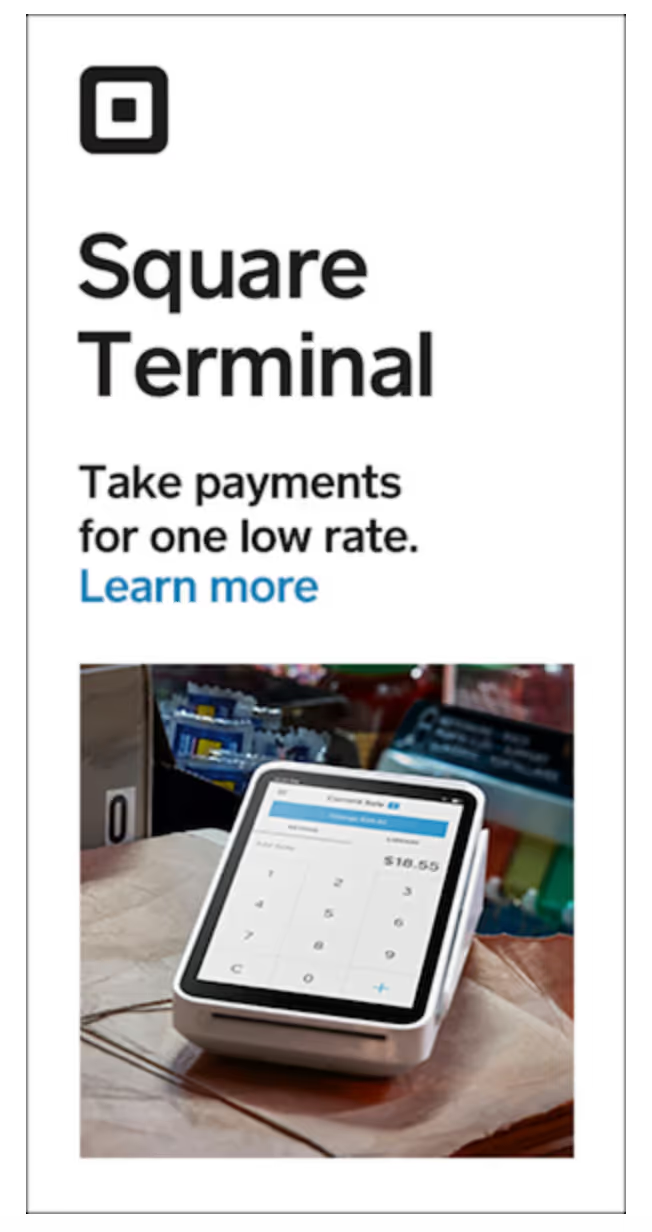
Platform: Google Display Network
Format: Static
Size: 300x600
- Industry: SaaS
- Ad type: Static ad / Benefit-oriented ad
- Visual: The ad features an image of the Square Terminal in action, displaying the user interface on the device’s screen. The clean, straightforward layout with a focused image of the product in use emphasizes its functionality and ease of use.
- CTA: Learn more
- What’s good about this ad: The header highlights the key benefit of the product—accepting payments at a low rate, which directly appeals to business owners seeking cost-effective payment solutions. The visual clarity and focused message make it easy for viewers to quickly understand the product's value proposition. The large logo enhances brand awareness.
7. Asana
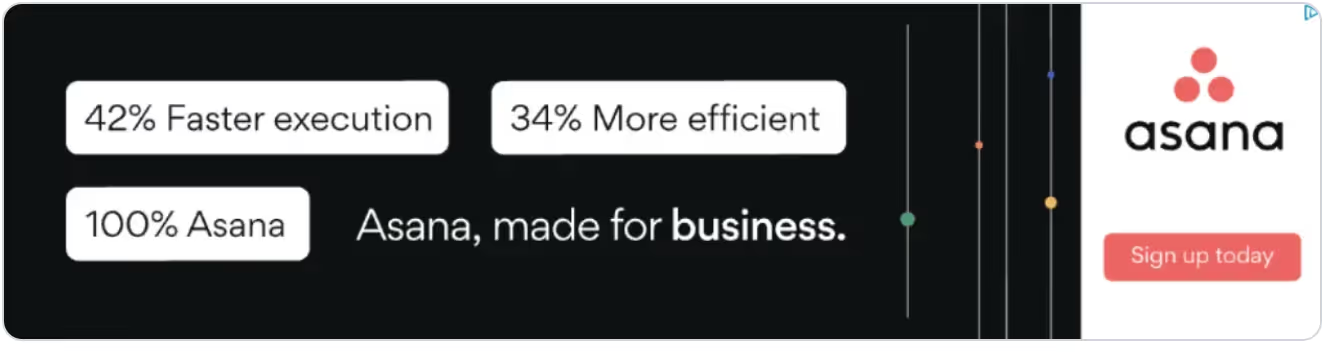
Platform: Google Display Network
Format: Static / Feature call-out ad
Size: 300x600
- Industry: SaaS
- Ad type: Static ad / Feature call-out ad
- Visual: The ad uses a sleek, modern design with a black background and contrasting text boxes that highlight key statistics: "42% Faster execution" and "34% More efficient." This design choice ensures that the key benefits are apparent and easy to read.
- CTA: Sign up today
- What’s good about this ad: It highlights the efficiency and productivity gains, making it appealing to business decision-makers looking to optimize operations. The use of precise metrics in the ad adds credibility and is likely to attract attention from professionals seeking measurable improvements in their workflows.
8. UBS
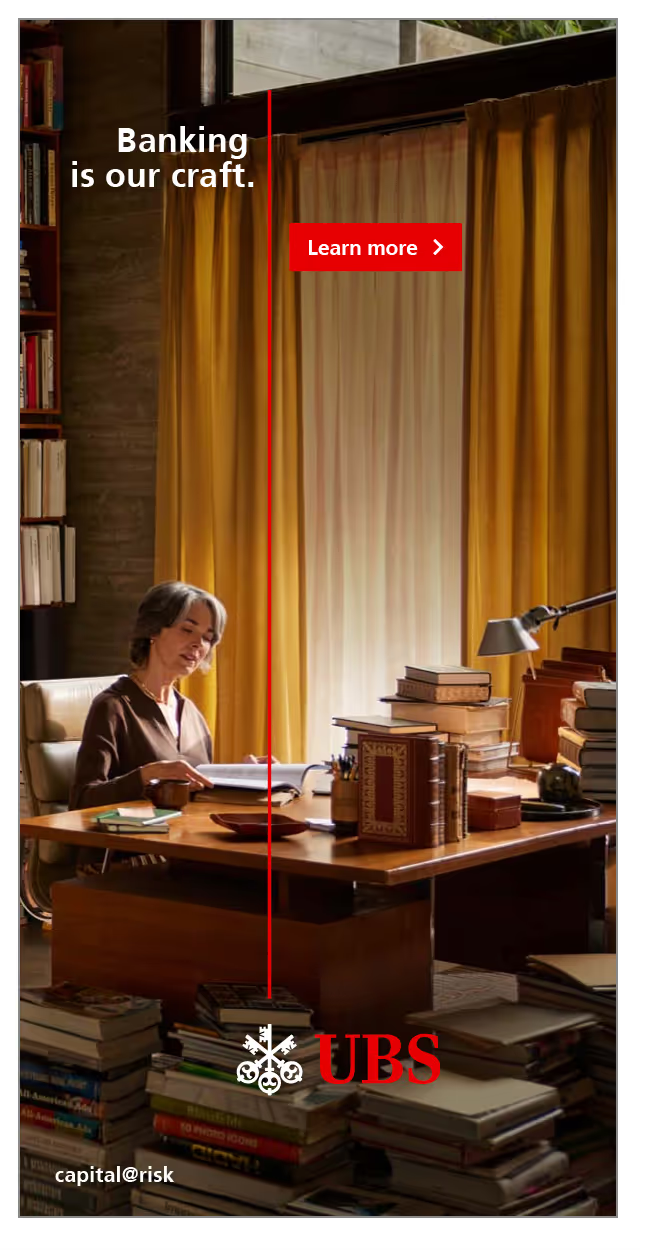
Platform: Google Display Network
Format: Static / Explainer ad
Size: 728x90 (Leaderboard) or 970x250 (Billboard)
- Industry: Banking
- Ad type: Static ad / Explainer ad
- Visual: The ad features a sophisticated image of a woman working diligently in a study or office surrounded by books, which suggests a scholarly or thoughtful approach to banking. The environment evokes a sense of tradition and expertise, emphasizing the tagline "Banking is our craft."
- CTA: Learn more
- What’s good about this ad: This ad features a refined and cultured setting to symbolize the meticulous care and expert knowledge of UBS, aligning with its brand identity as a trusted, high-quality service provider. The overall aesthetic is designed to appeal to an audience that values professionalism and depth of knowledge in financial management.
9. LinkedIn

Platform: Google Display Network
Format: Static / Benefit-oriented ad
Size: 300x250 (Medium Rectangle)
- Industry: Job platform
- Ad type: Static ad / Benefit-oriented ad
- Visual: An picture of two professional women talking reflects the ad topic: connect with your TA easily. The company (LinkedIn Ads), header, an CTA are simple but clear. White and blue colors creates a business-focused, professional look.
- What’s good about this ad: Imagery showing actors' faces and realistic interaction catch people's attention. Header explain the benefit of LinkedIn ads effectively. Simple and clean design resonates with target audience looking for effective, professional advertising solutions.
10. Canva
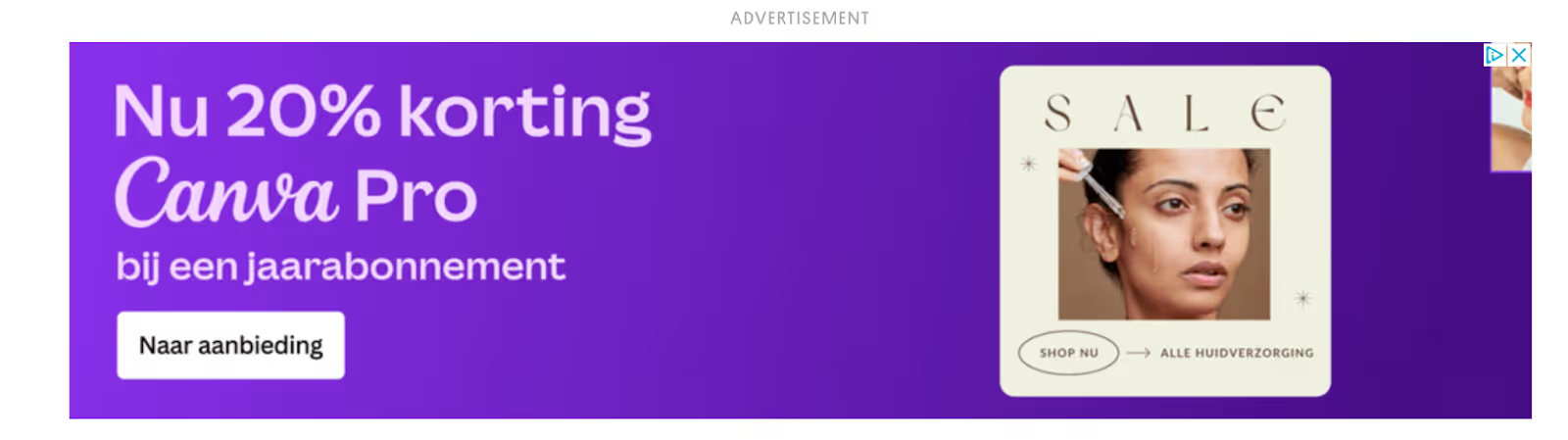
Platform: Google Display Network
Format: Static / Promotion ad
Size: 728x90 (Leaderboard)
- Industry: SaaS
- Ad type: Static ad / Promotion ad
- Visual: The ad uses a vivid purple background that aligns with Canva’s brand color, enhancing brand recognition. It displays a promotional offer "Now 20% off an annual subscription” (Nu 20% korting bij een jaarabonnement) in large, clear typography to highlight the deal.
- CTA: Go to offer (Naar aanbieding in Dutch)
- What’s good about this ad: It effectively uses a direct approach by highlighting a significant discount that is likely to attract both existing and potential customers. The ad design is simple yet bold, ensuring high visibility and quick comprehension of the message.
11. On
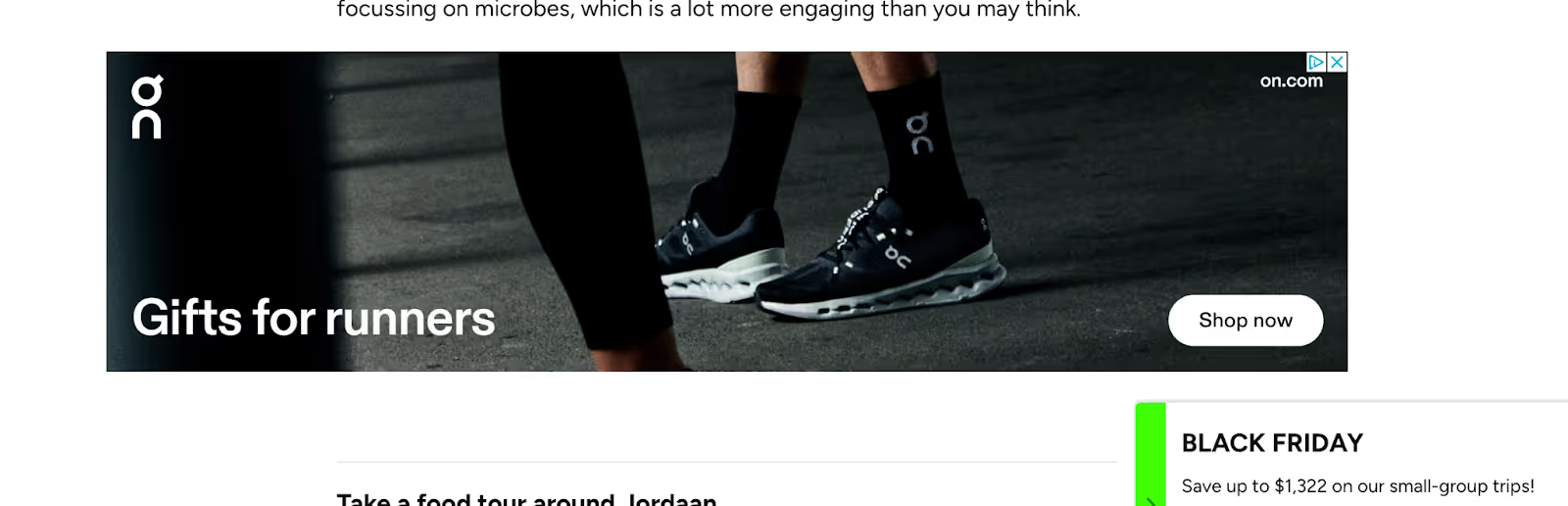
Platform: Google Display Network
Format: Static / Announcement ad
Size: 728x90 (Leaderboard) or 970x250 (Billboard)
- Industry: Sports
- Ad type: Static ad / Announcement ad
- Visual: The ad features a close-up, dynamic shot of a runner’s lower legs and feet, showcasing the branded running shoes. This targeted visual is set against a dark, somewhat urban background, focusing the viewer's attention on the product and the activity.
- CTA: Learn more
- What’s good about this ad: The ad is effective because it leverages the end-of-the-year holiday season. The "Shop now" button is strategically placed to encourage immediate action. The overall presentation is sleek and professional, which not only highlights the product but also enhances the brand’s image as a provider of high-quality athletic gear.
👋🏼 Many brands try native ads along with display ads to maximize their reach. Check out some native ad examples curated by our experts.
{{ad-library}}
What are display ads?
Display ads are visual advertisements that appear on websites, apps, and social media platforms across advertising networks. Unlike search ads that appear in response to specific queries, display ads proactively reach users as they browse content online.
Display ads typically include:
- Images or graphics (static or animated)
- Headlines and body copy
- Brand logo
- Call-to-action (CTA) button
They're served through platforms like the Google Display Network (GDN), which reaches over 90% of internet users worldwide, as well as LinkedIn Ads, Meta Audience Network, Amazon Advertising, Microsoft Ads, and programmatic platforms like DV360 and Adsterra.
Display ads are primarily used for:
- Brand awareness — reaching new audiences at scale
- Retargeting/remarketing — re-engaging users who've visited your site
- Competitor conquesting — targeting users interested in competing brands
- Account-Based Marketing (ABM) — reaching specific companies or decision-makers
Display ads vs search ads
Understanding when to use display ads versus search ads is crucial for campaign success:
When to use display ads
- Building brand awareness with new audiences
- Retargeting users who didn't convert
- Promoting visual products or lifestyle brands
- Running ABM campaigns targeting specific companies
When to use search ads
- Capturing high-intent users ready to buy
- Targeting specific keywords with purchase intent
- Competing for bottom-of-funnel conversions
Pro tip: The best campaigns combine both. Use search ads to capture demand and display ads for retargeting and brand building.
Display ad formats & size
Choosing the right format impacts performance significantly. Here are the main display ad formats:
Static image ads
Single images in standard sizes. Simple to create, widely supported. Best for clear, focused messages.
Responsive Display Ads (RDAs) - Google's recommended format
You upload multiple headlines, descriptions, images, and logos while Google automatically combines and resizes them for different placements. RDAs typically outperform static ads due to optimization and reach.
HTML5 banner ads
Interactive, animated ads built with HTML5. Allow for richer experiences like product carousels, countdown timers, or mini-games. File size should stay under 150KB for fast loading.
Animated GIF ads
Simple animations that grab attention without HTML5 complexity. Limited to 256 colors but widely supported.
Video display ads
Short video ads (typically under 15-30 seconds) that autoplay in display placements. Product demos under 90 seconds work well for B2B SaaS.
Native ads
Ads designed to match the look and feel of surrounding content. Higher engagement due to seamless integration.
Standard IAB display ad sizes
Pro tip: Always create multiple sizes. Responsive Display Ads handle this automatically, but for custom creative, prioritize 300x250, 728x90, and 320x50 for maximum reach.
Do's and don'ts for display ads
Do's:
- Keep it simple: Use clear and concise messaging that communicates your point without clutter. The fewer distractions, the better. Follow the KISS rule (Keep It Simple, Stupid), aka one message, one CTA.
- Use easy-to-read font: Choose fonts that are legible in different sizes and easy on the eyes. Avoid overly stylized fonts that might detract from the message.
- Use eye-catching visuals: Attract attention with visuals that stand out but are also relevant to your message and brand. Use high-contrast colors strategically: red for urgency, blue for trust, green for go/success.
- Show your logo: Always include your logo to build brand recognition. Make sure it's visible but not overpowering.
- Include a CTA: Have a clear call to action that tells viewers exactly what you want them to do, such as "Shop Now," "Learn More," or "Sign Up."
- Set up retargeting strategy: Use retargeting to serve ads to users who have already visited your site but didn't convert, to remind them of what they're missing.
- Test different specifications: Test different elements of your ads (like CTAs, images, and headlines) to see what resonates best with your audience. A/B test continuously; small changes in headlines or colors can significantly impact CTR.
- Optimize file size: Keep display ad files under 150KB for fast loading. Slow ads get skipped or don't render properly, killing your CTR.
- Design mobile-first: Over 60% of display impressions are on mobile. Design for small screens first, then scale up.
- Include trust signals: Add G2 badges, customer logos, star ratings, or security badges to build credibility, especially for B2B and finance ads.
Don'ts:
- Don't make your ads too busy: Avoid cramming too much information or too many images into your ad. It can overwhelm or confuse the viewer.
- Don't forget about brand consistency: Make sure your ads are in line with your brand's voice, style, and colors to ensure a cohesive brand experience across all platforms.
- Don't ignore mobile optimization: Design your display ads with mobile users in mind, considering smaller screens and mobile responsiveness.
- Don't limit yourself to clichés: Display ads are, in general simple, but still try to be original in your messaging and visuals to stand out.
- Don't ignore banner blindness: Users have learned to ignore standard ad placements. Combat this with bold visuals, unexpected colors, or native ad formats that blend with content.
- Don't forget frequency capping: Showing the same ad too many times causes ad fatigue. Set frequency caps to avoid annoying your audience and wasting budget.
- Don't use low-quality images: Pixelated or stretched images destroy credibility instantly. Always use high-resolution assets optimized for each ad size.
👋🏼 If you’re just starting out, it might be tricky for you to navigate all these by yourself. In such a case, feel free to explore some of the top ecommerce marketing agencies we have listed here.
Key metrics for display ads
How to avoid banner blindness
Banner blindness is the phenomenon where users unconsciously ignore display ads, especially in standard placements. After years of browsing, people have learned to skip anything that "looks like an ad."
Here's how to combat it:
1. Use unexpected visuals
Break patterns with bold colors, unusual imagery, or illustrations that don't look like typical ads. The Guardian Jobs example above uses playful illustrations that feel more like content than advertising.
2. Try native ad formats
Native ads match the look and feel of surrounding content, bypassing the mental filter users apply to obvious ads. They typically see 2-3x higher engagement than standard banners.
3. Leverage motion strategically
Animated or HTML5 ads catch peripheral vision better than static images. But don't overdo it — subtle motion works better than flashing graphics that feel spammy.
4. Focus on value, not selling
Ads that offer genuine value (tips, insights, tools) get more attention than pure promotional messages. Lead with what the user gets, not what you're selling.
5. Refresh creative frequently
Even great ads fatigue over time. Refresh your creativity every 2-4 weeks to maintain performance. Track frequency and CTR together—when frequency rises and CTR drops, it's time for a new creative.
6. Target contextually
Ads relevant to the content being consumed feel less intrusive. A SaaS ad on a business blog feels natural; the same ad on a recipe site feels like an interruption.
Trust signals for display ads
Building trust in a small ad format is challenging but crucial, especially for B2B, finance, and high-consideration purchases. Here's how to add E-E-A-T signals to your display ads:
Social proof badges
- G2 ratings ("4.8/5 on G2")
- Capterra badges ("Top Rated 2026")
- Gartner Magic Quadrant mentions
- Industry awards and certifications
Customer logos
Show logos of recognizable clients. "Trusted by Nike, Shopify, HubSpot" instantly builds credibility. Get permission first.
Specific results
Numbers build trust. "1800% revenue growth" or "50,000+ customers" is more believable than "Amazing results."
Security signals
For finance, e-commerce, or data-sensitive products:
- SSL/security badges
- "Bank-level encryption"
- Compliance certifications (SOC 2, GDPR)
Risk reducers
- "Free trial"
- "No credit card required"
- "Cancel anytime"
- "30-day money-back guarantee"
The Monday.com example above uses a customer testimonial—one of the most effective trust-building techniques because it's third-party validation, not self-promotion.
Display ad platforms compared
Choosing the right platform depends on your audience and objectives:
Google Display Network (GDN)
- Reach: 90%+ of internet users globally
- Best for: Broad awareness, retargeting, B2C
- Targeting: Keywords, topics, placements, audiences, demographics
- Formats: Responsive, static, HTML5, video
- Typical CPM: $2-$5
LinkedIn Ads
- Reach: 900M+ professionals
- Best for: B2B, ABM, executive targeting, thought leadership
- Targeting: Job title, company, industry, seniority, skills
- Formats: Single image, carousel, video, conversation ads
- Typical CPM: $30-$80 (premium but high-intent)
Meta Audience Network
- Reach: Extends Meta targeting to external apps/sites
- Best for: Extending Facebook/Instagram campaigns, app installs
- Targeting: Same as Meta ads (interests, behaviors, lookalikes)
- Formats: Banner, interstitial, native, rewarded video
- Typical CPM: $3-$10
Amazon Advertising (DSP)
- Reach: Amazon properties + external sites
- Best for: E-commerce, product consideration, competitive conquesting
- Targeting: Shopping behavior, product interests, competitor audiences
- Formats: Standard IAB sizes, video
- Typical CPM: $5-$15
Programmatic (DV360, The Trade Desk)
- Reach: Vast inventory across exchanges
- Best for: Scale, sophisticated targeting, cross-channel campaigns
- Targeting: Highly customizable — data segments, contextual, behavioral
- Formats: All standard formats
- Typical CPM: Varies widely ($1-$20+)
For most advertisers, start with Google Display Network for reach and LinkedIn for B2B. Add programmatic once you've mastered the basics and have a budget for premium inventory.
{{redirect}}
Frequently asked questions
What is a display ad example?
A display ad is a visual advertisement that appears on websites, apps, and social media platforms. Common examples include the banner ads you see at the top of news sites, the square ads in blog sidebars, and the sponsored content in your social feeds. The Monday.com testimonial ad and Amazon "Crazy low prices" ad in this guide are typical display ad examples — they use images, headlines, and CTAs to capture attention while users browse content.
How to make a good display ad?
The best display ads follow these principles: keep messaging simple with one clear value proposition, use high-contrast colors and bold visuals to stand out, include your logo for brand recognition, add a clear CTA telling users what to do next, and optimize file size under 150KB for fast loading. Most importantly, design for mobile-first since over 60% of impressions are on mobile devices. Test multiple variations and refresh creative every 2-4 weeks to combat ad fatigue.
What are display ads?
Display ads are visual advertisements served across websites, apps, and social platforms through advertising networks like the Google Display Network, LinkedIn Ads, or programmatic platforms. Unlike search ads that respond to specific queries, display ads proactively reach users as they browse. They're used for brand awareness, retargeting past visitors, and reaching specific audiences based on demographics, interests, or behaviors.
How do display ads look?
Display ads come in various formats and sizes. Standard formats include leaderboards (728x90) at the top of pages, medium rectangles (300x250) in content, skyscrapers (160x600) in sidebars, and mobile banners (320x50). They can be static images, animated GIFs, HTML5 interactive banners, or video. Responsive Display Ads automatically adjust their size and format to fit available placements. The best display ads feature bold visuals, minimal text, clear branding, and an obvious CTA.
What is the difference between display ads and banner ads?
Banner ads are a type of display ad. Specifically, the rectangular image ads that appear in standard placements like page headers or sidebars. "Display ads" is the broader category that includes banners plus other formats like native ads, video ads, interstitials, and responsive ads. All banner ads are display ads, but not all display ads are banners.
How much do display ads cost?
Display ad costs vary by platform, targeting, and placement. Typical ranges: CPM (cost per 1,000 impressions) runs $2-$10 on Google Display Network, $30-$80 on LinkedIn. CPC (cost per click) averages $0.50-$2.00. Highly targeted audiences (B2B decision-makers, high-income demographics) cost more. Retargeting campaigns often deliver better ROI despite similar costs because audiences are already familiar with your brand.
What is banner blindness and how do I avoid it?
Banner blindness is when users unconsciously ignore display ads—especially in standard placements. Combat it by: using unexpected visuals that don't look like typical ads, trying native ad formats that blend with content, leveraging subtle animation to catch attention, refreshing creative every 2-4 weeks, and targeting contextually so ads feel relevant to the content being consumed. The best display ads offer genuine value rather than pure promotional messaging.